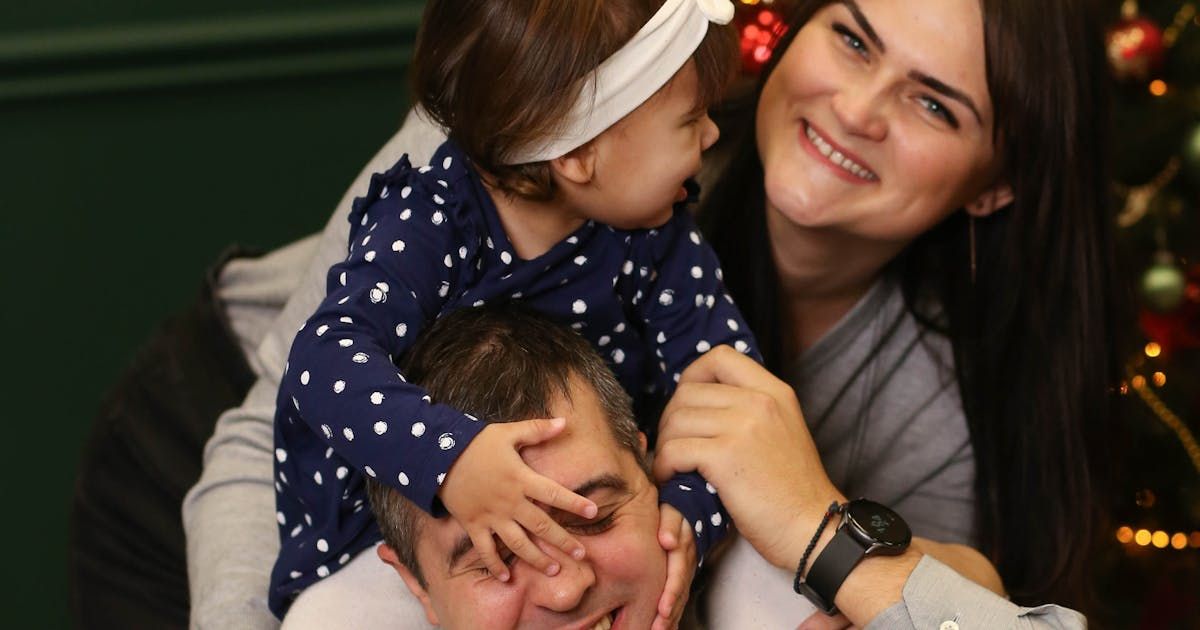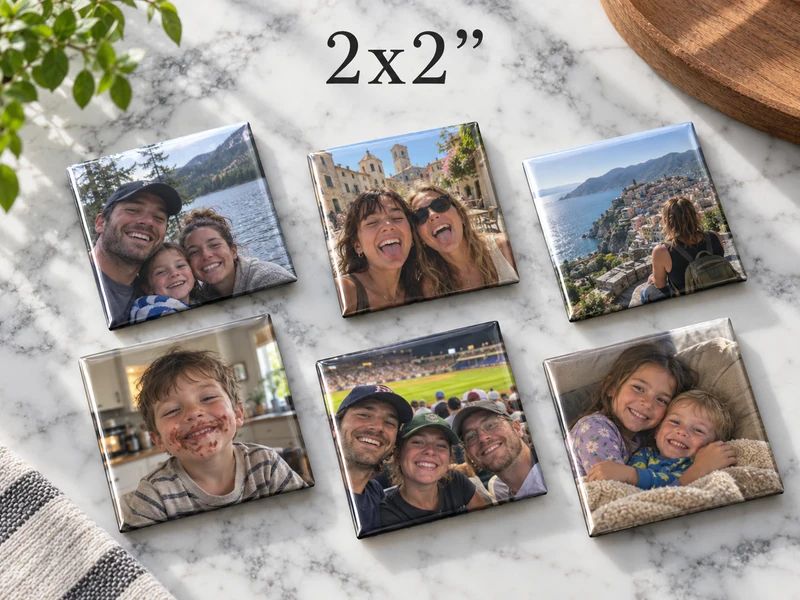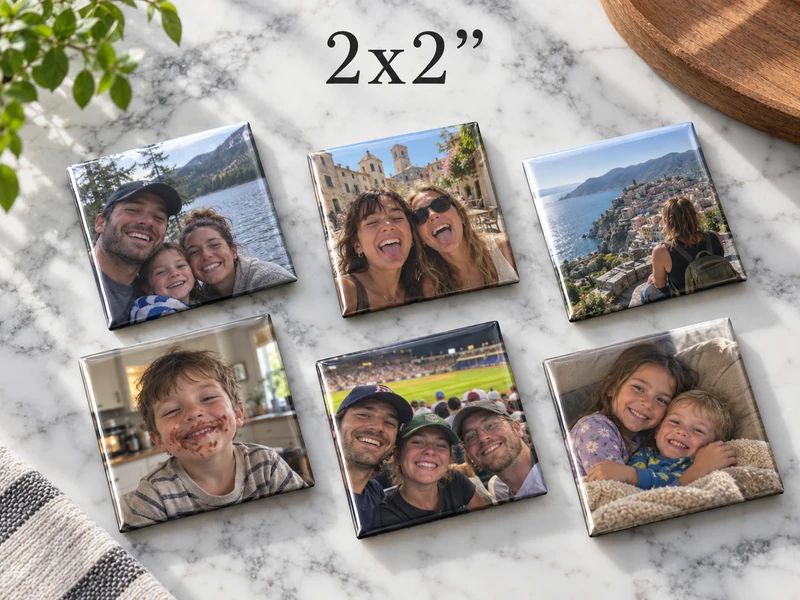
Choose square custom photo magnets for close portraits, rectangles for wider scenes, and circles for a centered subject with room around it. The best shape keeps the part of the photograph you would miss if it disappeared.
- Square custom photo magnets suit compact portraits; rectangles suit wider scenes.
- Round picture magnets need extra room around the subject because the corners disappear.
- Sticky Moments offers four sizes across three shapes; choose the crop before the pack count.
- Preview every photograph separately rather than assuming one shape suits the whole camera roll.
Custom photo magnets: square, round, or rectangle?
A photo doesn't become better because the frame is fashionable. It becomes easier to enjoy when the frame leaves the important things in place. Start with the picture, not a finished display you saw somewhere else.
The Sticky Moments collection lists square, rectangle, and round formats. This comparison uses those dimensions, checked in November 2026; the crop recommendations are practical guidance, not a guarantee that a particular file will print well.
| Shape | Best for | Listed dimensions | Main tradeoff |
|---|---|---|---|
| Square | Close-up faces, pets, compact pairs | 2 x 2 or 2.5 x 2.5 inches | Wide scenes lose their sides |
| Rectangle | Groups, standing portraits, meaningful backgrounds | 2 x 3 inches | Keeping more background can leave faces small |
| Round | One centered subject | 2.25-inch diameter | Corners and edge details disappear |
Choose the shape that asks least of the photograph. If a crop only works after cutting out a person, a pet, or the place that makes the picture matter, change the shape or choose another photo.
Why the edge of the picture matters
When you look at a full photograph, your attention goes to the subject. When you crop it, the edges start making decisions too. A hand on a shoulder, the top of a hat, or a familiar doorway can disappear without seeming important until the picture is printed.
Before comparing shapes, identify the parts you want to keep. There is the obvious subject, then there is the detail that makes this particular picture yours. For a travel photo, that detail might be the landscape; for a family portrait, it might be the grandparent standing slightly apart from the group.
A tighter crop isn't automatically a more personal crop. Sometimes keeping the bench, garden, or kitchen table is what turns a portrait into a memory.
Squares keep the attention on the subject
A square works well when the subject already sits inside a compact area. A face looking at the camera, a pet on a cushion, or two people leaning together can fit without much negotiation at the edges.
The square formats in the collection are 2 x 2 inches and 2.5 x 2.5 inches. The larger square gives you more physical space, but both have the same proportions. Switching between them doesn't bring back the sides of a wide photograph.
Choose a square when the picture has a clear center
Look for a photo where the subject doesn't rely on the full width of the original. Try the crop before deciding whether the smaller or larger square is appropriate.
- Leave room above hair, ears, or a hat.
- Keep both faces comfortably inside the boundary for a pair.
- Remove background that distracts rather than background that explains.
- Check that a hand or pet isn't awkwardly cut at the edge.
Best for: a portrait you recognize immediately. The limitation is a wide arrangement of people, especially when the person at each end matters just as much as the person in the middle.
Use the larger square for more room, not a different shape
A 2.5-inch square can make a pair of faces less cramped than a 2-inch square. It doesn't fix a poor file or a photograph in which the people are tiny. Treat it as more room for a suitable image, not a rescue tool for every image.
If the smaller preview feels crowded, compare the larger square at its actual size. Paper cutouts help you picture the footprint on the fridge, although they cannot predict the quality of the finished print.
Rectangles let the setting stay in the picture
Some photographs need their surroundings. A child holding a fish, a full-length graduation portrait, or a family on a beach loses part of its meaning when squeezed into a close-up.
The 2 x 3-inch rectangle is the useful starting point for those pictures. The listed format works in portrait or landscape orientation, so compare the direction of the original with the direction of the frame.
Keep the scene only when it earns its space
Extra background is useful when it tells you where you were or what was happening. It is less useful when it simply pushes the faces farther away.
- Keep a landscape when the place is part of the memory.
- Keep a standing portrait when clothing or posture matters.
- Check every person near the sides of a group.
- Compare a tighter version if there is a large empty foreground.
Best for: a picture with a story beyond the face. The main drawback is that people can become less prominent when you preserve a wide scene.
Expect some crop adjustment
A rectangle isn't a promise that the original file fits unchanged. Photographs come in different proportions, and a 2 x 3-inch frame has its own proportions. Review the full preview rather than assuming that rectangular means uncropped.
Pay particular attention to the subject near the bottom edge. A tall portrait can lose shoes; a picnic can lose the food; a graduation photograph can lose the hand holding the certificate. These details are easier to notice before ordering than after the gift arrives.
Circles work best when the subject has breathing room
A circle makes the crop more visible because its corners don't exist. A rectangular original with something important in each corner is a difficult starting point.
The round option listed by Sticky Moments has a 2.25-inch diameter. That measurement runs across the circle through its center; it doesn't mean every part of the square preview area becomes a printed image.
Start with a centered person or pet
A centered subject against simple surroundings is easier to assess. You can see where the frame falls without trying to save several scattered details at once.
- Keep ears, hair, and hats inside the curve.
- Check the chin and shoulders as well as the eyes.
- Leave extra space around a pet's face.
- Avoid choosing a busy group just because the round shape looks appealing.
Best for: one subject framed cleanly. The limitation is edge detail: moving the crop to save something on one side can remove something on the other.
Don't stretch the photo to force a fit
A shape mismatch is a reason to recrop or choose another photograph, not a reason to distort faces. If you cannot keep the subject inside the circle naturally, a square can be the better choice.
There is nothing less thoughtful about choosing the easier frame. The picture is the gift; the shape is there to help it.
Should every magnet in the display be the same shape?
A consistent shape can make a display feel orderly. Mixed shapes can make sense when the pictures genuinely need different frames. Decide which matters more to you: a matching outline or preserving each photograph's natural composition.
Do not assume a single product pack allows mixed sizes or shapes. Check the current product and order options before building a plan around that idea. A display assembled from separate purchases is different from a configurable mixed pack.
For a gift, simplicity is helpful. Choose pictures that work well together rather than making the recipient solve a layout puzzle. A small set of compatible crops can feel more considered than a large collection held together only by the occasion.
Check the photograph before checking the quantity
The collection lists packs of 6, 9, 12, or 15. Those counts are an ordering choice, not a reason to include photographs you don't actually want displayed.
Make your shortlist first. Remove near-duplicates unless the changing expressions are the point of the set. Then decide which available quantity suits the pictures and the display space.
A useful review takes four passes:
- Subject: can you tell what matters without explanation?
- Crop: is anything important missing at the boundary?
- File: does the actual image look clear, rather than just its small thumbnail?
- Display: is there a suitable magnetic surface and enough room?
Sticky Moments photo magnets suit shoppers who want to choose among square, rectangular, and round formats. They still need the same careful photo selection as any small printed keepsake.
Three shape mistakes to avoid
Choosing the layout before the photographs. An all-circle idea can look tidy until the best family photo puts someone near a corner. Let the images have a vote.
Using size to solve proportions. A larger square remains square. If a wide picture cannot lose its sides, consider a rectangle instead.
Judging only on a phone at full brightness. Inspect the actual file and the crop, not just an attractive screen presentation. No shape adds detail that isn't in the image.
What should you check at checkout?
Confirm the selected format, quantity, and image previews. Review the current production and delivery details where you place the order instead of relying on an old guide or a remembered promise.
Sticky Moments identifies Fresh Magnets as its printing and shipping partner. That distinction matters when you need current ordering information: look at the details attached to the actual purchase, not assumptions about how a small photo shop must operate.
For a gift with a fixed occasion, don't turn a shape guide into a delivery estimate. The right image and the right arrival date are separate checks.
FAQ
Which shape is best for custom photo magnets?
Choose squares for compact portraits, rectangles for wider scenes, and circles for a centered subject. The best shape preserves the important details of your particular photograph.
Are round photo magnets good for groups?
Round crops are harder for groups spread across the frame because they remove the corners. Start with a rectangle when people near the sides need to remain visible.
Will a larger square save a wide photograph?
A larger square changes the printed size, not the proportions. A wide photograph still needs its sides cropped to become square.
Do rectangle magnets always use the entire photo?
No. The original image can have different proportions from a 2 x 3-inch frame, so check the preview for any cropping.
Can I mix square and round magnets in one pack?
Check the current order options before assuming mixed shapes are possible in a pack. A mixed display can also be assembled from separate orders.
What sizes does Sticky Moments list?
Sticky Moments lists 2 x 2-inch and 2.5 x 2.5-inch squares, a 2 x 3-inch rectangle, and a 2.25-inch circle. Review the current product page before ordering.
One last thing
Before you choose a shape, name the one thing the crop must not lose. That tiny decision makes the rest easier. Sometimes it's a face, sometimes it's the dog, and sometimes it's the kitchen where everybody ended up.